Templates & signatures

A consistent look and signature on every document

Store your preferred invoice template once and reuse named signatures across documents, so each invoice you send looks deliberate and stays on-brand.

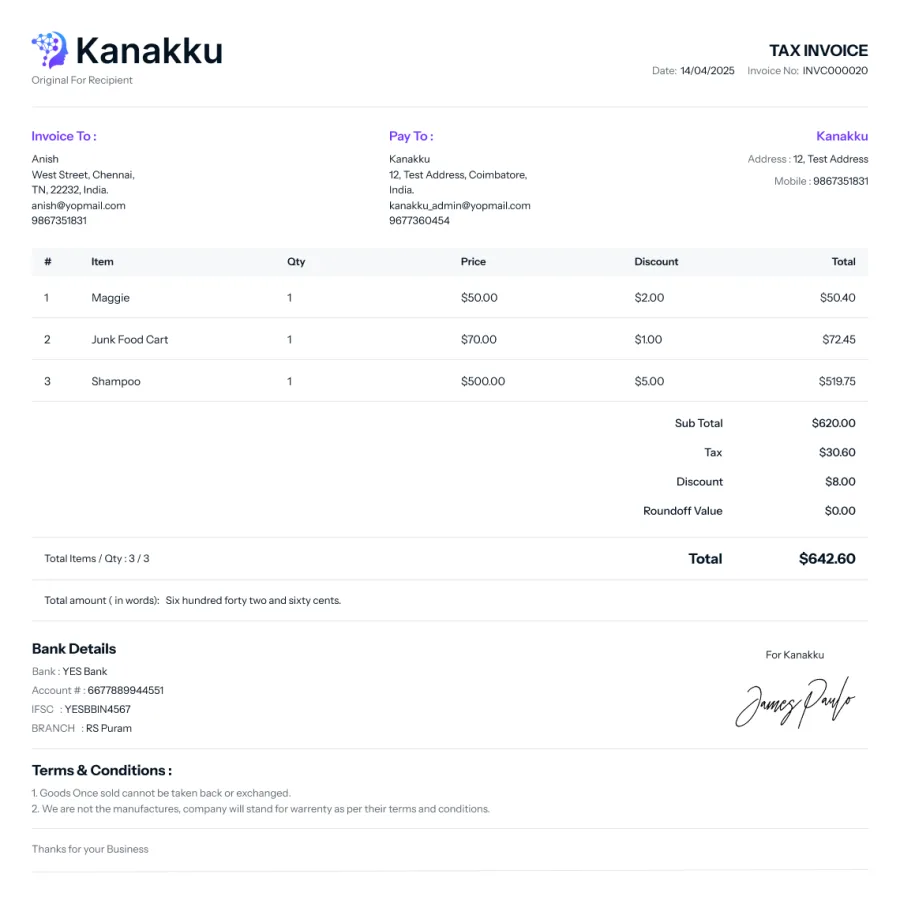
Invoice template preview in Kanakku

One saved template, applied by default

Set a default invoice template against your account and Kanakku reuses it for new documents. Update it in place whenever your layout preferences change.

  • A default invoice template stored per user
  • Create-or-update keeps a single source of truth, no clutter
  • Applied automatically so new invoices start consistent
  • Pairs with your saved signatures and terms

Reusable signatures, chosen per document

Keep named signatures with images and a default, then reference one on an invoice. Each document decides whether it carries a digital signature, an e-signature, or none at all.

  • Signature library with name, image and a default flag
  • Invoices reference a signature by id
  • Sign type per document: digital signature, e-signature, or none
  • Image-based signatures — no certificate or PKI setup needed

What you get

Default template

Save your layout once and every new invoice starts from it automatically.

Signature library

Store multiple named signature images and pick a default for quick reuse.

Per-document choice

Decide on each invoice whether to apply a digital signature, e-signature or none.

No PKI required

Signatures are image-based, so there's no certificate authority to wrangle.

Works with

Popular with

Frequently asked questions

How many invoice templates can I save?
Kanakku stores one default invoice template per user natively, applied automatically to new documents and editable in place.
Can I reuse the same signature on many invoices?
Yes. Keep a library of named signature images with a default, and reference one on any invoice by id.
What signature types are available?
Each document can carry a digital signature, an uploaded e-signature, or no signature at all.
Do I need certificates to sign documents?
No. Signatures are image-based, so there is no PKI or certificate authority to configure.

Own your accounting stack — start today.

Self-hosted, source-included, white-label ready. No per-seat SaaS lock-in.